
Unpack a Bought Asset Sheet
A solo developer buys a 16 × 16 pixel character pack, sets a 16-pixel frame size, and gets every frame as its own file.
Examples
- Characters
- Tiles
- Items
- Buttons
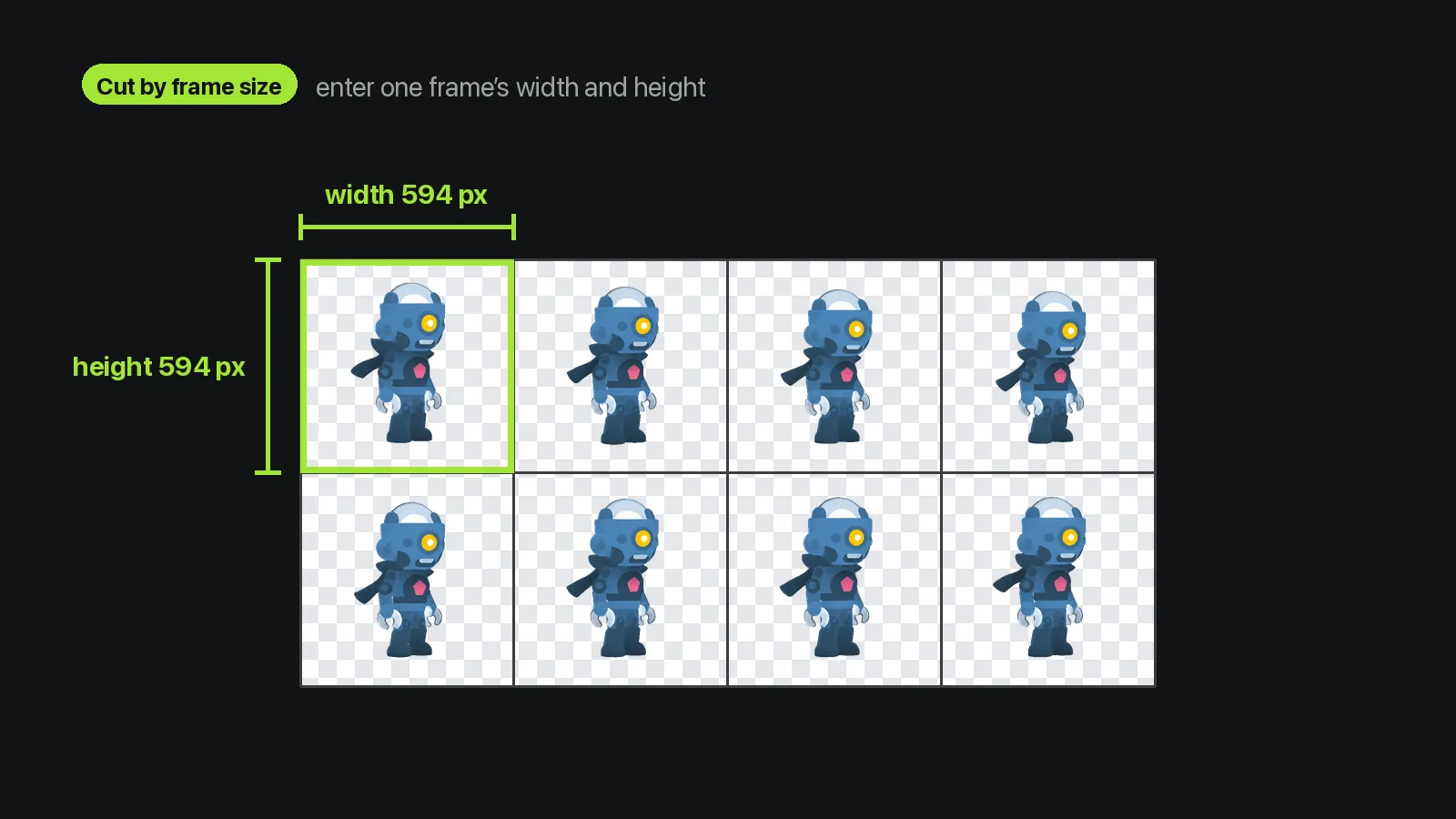
The sprite sheet cutter takes one PNG laid out on a regular grid and saves each cell as its own PNG frame, numbered in reading order. Describe the grid by columns and rows, or by one frame's width and height. Offsets skip a margin on the left side or above the first row; spacing skips the gap between cells. If the numbers don't divide the image evenly, the tool refuses and tells you why instead of cutting partial frames. It doesn't guess the grid or trim empty space. It also reads PNG only, so save JPEG or WebP sheets as PNG first.
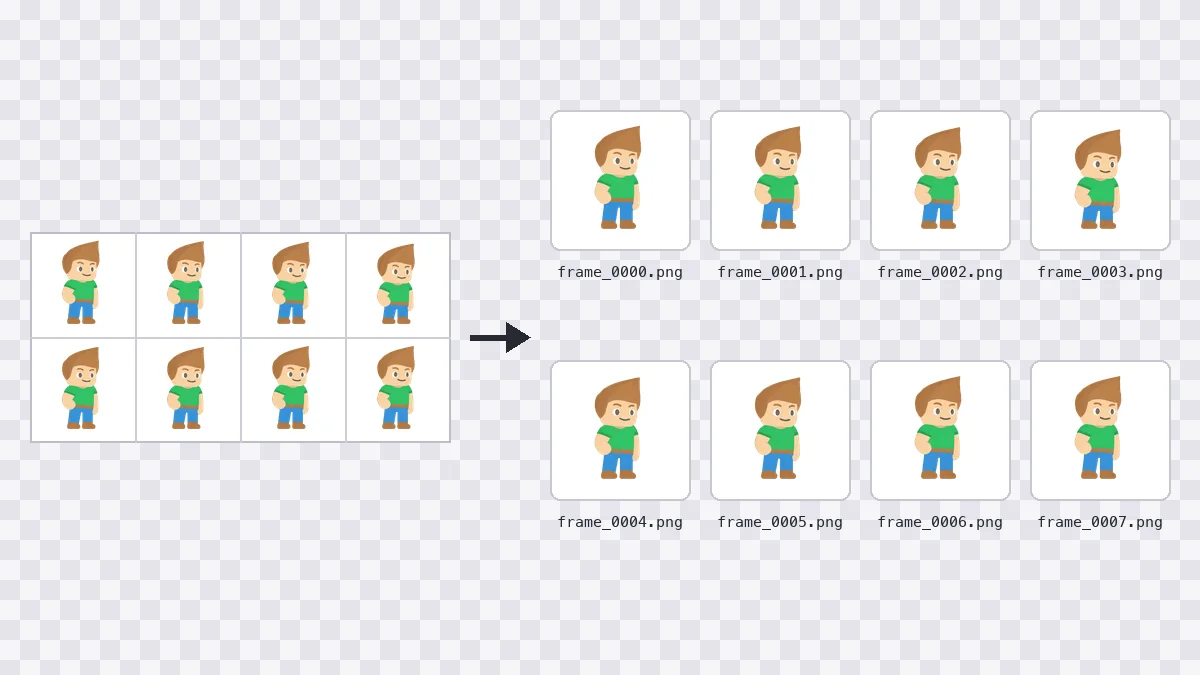
Pick the mode that matches what you know about the sheet. Either way, you get same-size PNG frames in one ZIP.
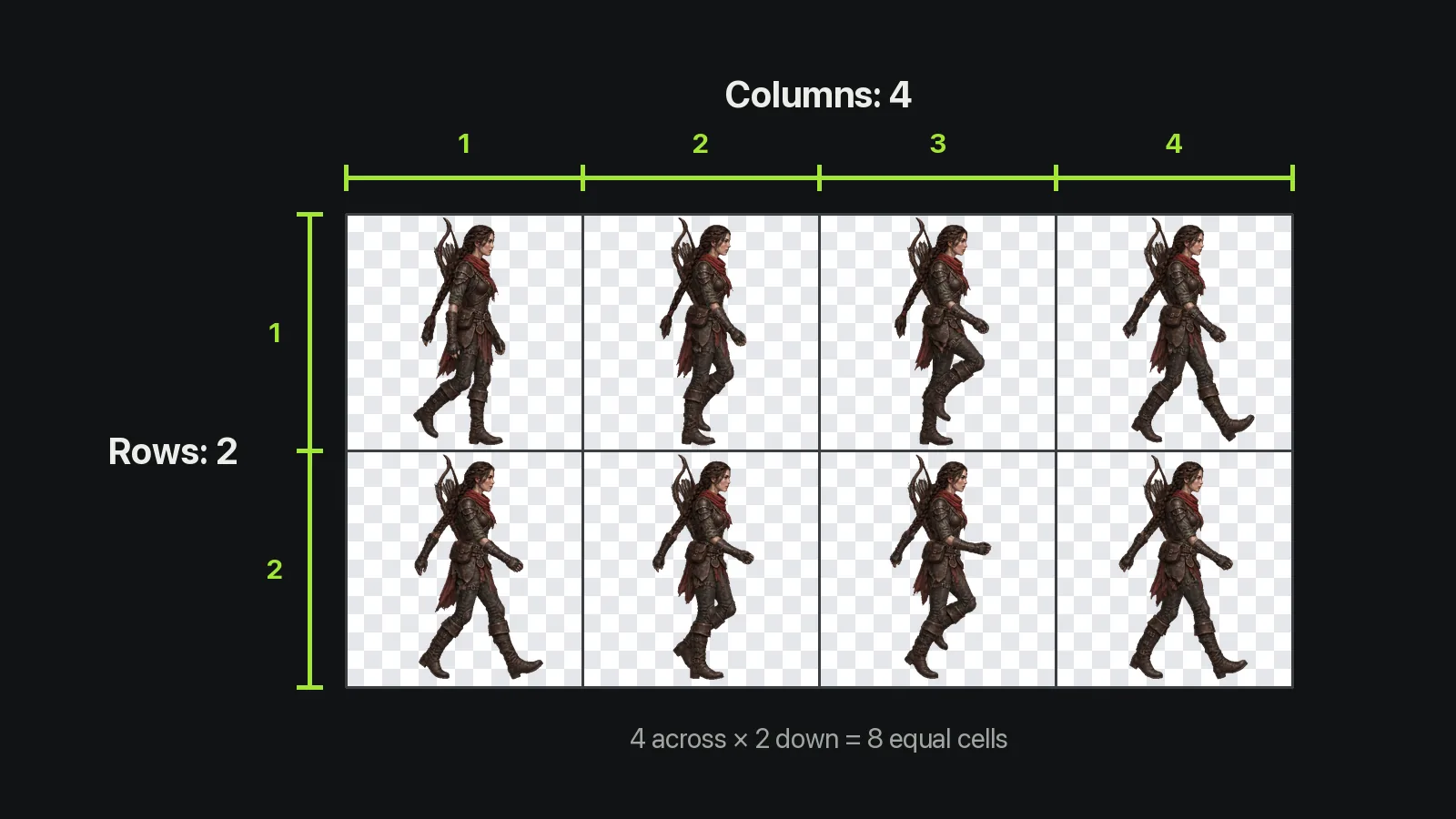
Count the frames across and down, enter both numbers, and the sheet splits into equal cells.
Starts at 4 × 1
Defaults to 4 columns, 1 row.
Even Cells Only
If the numbers don't divide evenly, nothing is cut.
Strips Work Too
A single row or column cuts the same way.
One PNG in, same-size frames out.
One sheet per run, up to 20 MB and up to 12 million pixels.
Transparent pixels stay transparent in every frame.
Tile and icon sheets of up to 10,000 frames.
No recompression, so pixel art keeps every hard edge.
Names like frame_0007.png stay in order in any folder.
Frames are cut in your browser tab; the sheet is never uploaded.
Jobs that would otherwise mean cropping frames one at a time.
A solo developer buys a 16 × 16 pixel character pack, sets a 16-pixel frame size, and gets every frame as its own file.

A pixel artist cuts a walk cycle apart, repaints frame 5, and repacks the frames in Sprite Sheet Maker.

An indie developer makes a walk loop with the AI generator, then cuts it into eight frames.

A teacher cuts a sample sheet so students can load frames one at a time.

A front-end developer saves every 24-pixel icon of an old CSS sprite as its own PNG.

An RPG developer cuts a 3 × 4 character sheet into twelve frames and redraws the left-facing row.
The sprite sheet cutter needs one PNG and two numbers.
Drop in one PNG, or press “Try sample” for a four-frame demo.
Enter columns and rows, or turn on “Cut by frame size”. Then add any offset or spacing.
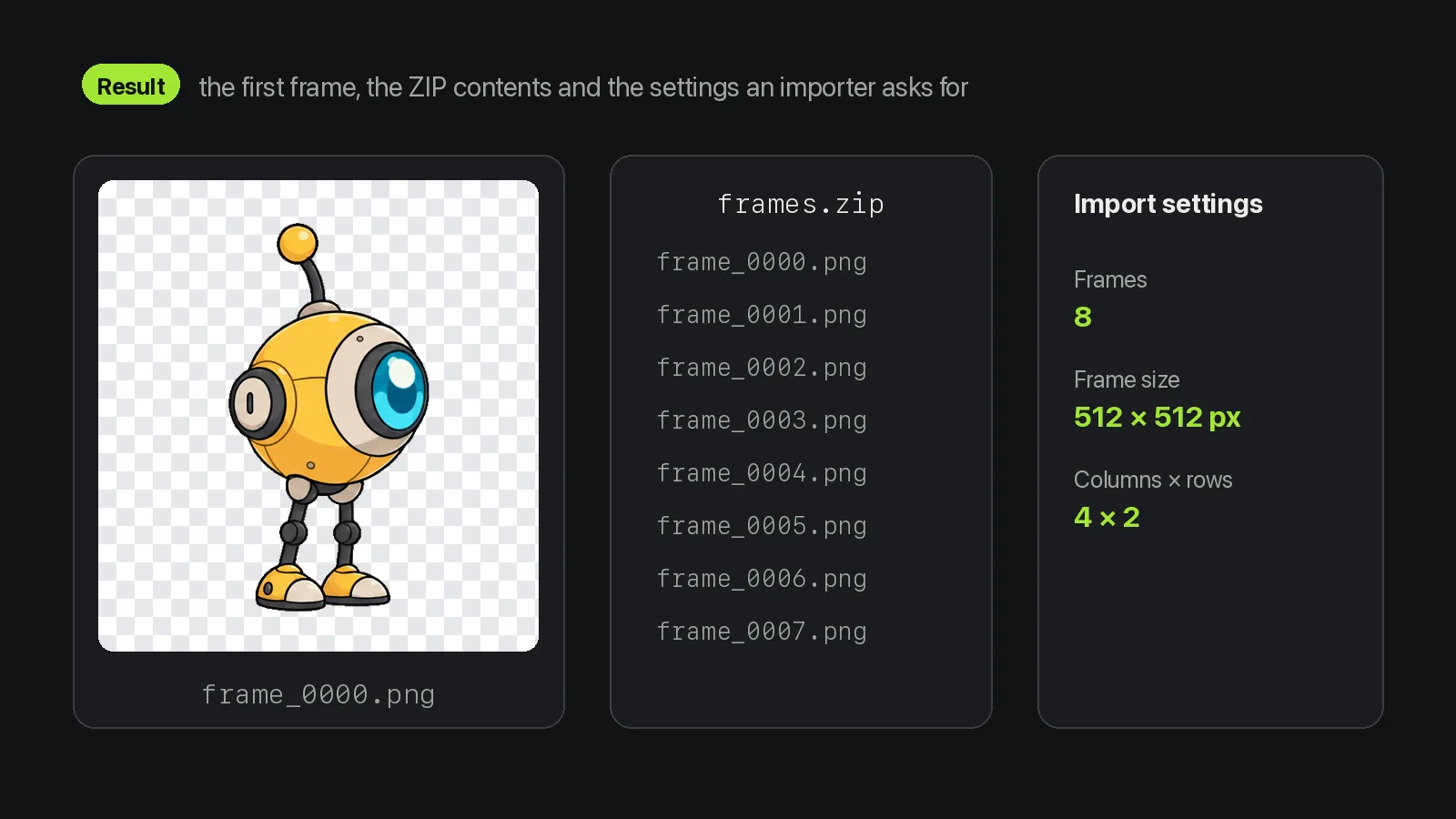
Press Convert, check the first frame and the import settings, then save frames.zip.
Grids, file names, privacy and the sheets it can't read.
A sprite sheet cutter splits one image that holds many animation frames into separate files, one per frame. This one cuts PNG sheets on a regular grid and returns every cell as a PNG inside one ZIP.
No. The sprite sheet cutter only cuts the grid you describe, and it refuses numbers that don't divide the image evenly. Frames of different sizes or sprites with no grid need a tool that detects sprites; packed atlases with a JSON or XML file, such as Friday Night Funkin' characters, need one that reads the atlas.
The sprite sheet cutter numbers frames in reading order: left to right along the first row, then the next row down. With 4 columns and 2 rows, frame_0000.png to frame_0003.png come from the first row.
No. The sprite sheet cutter works in a Web Worker inside your browser tab, so the image never goes to a server. The page only records that the tool ran, never the file.
Yes. The sprite sheet cutter is free, needs no account and uses no credits. The only limits are on the file: one PNG per run, up to 20 MB.
Yes. Sheets from the AI generator on our home page are 2376 × 1188 pixels with 4 columns and 2 rows, so entering 4 and 2 gives eight 594 × 594 frames, each keeping the transparent space around the character.
The sprite sheet cutter only makes loose PNG frames, so pick another tool for other files. Sprite Sheet to GIF in the tools menu plays a sheet as a loop; Sprite Sheet Maker puts loose frames back on one grid.
Tools that pair with the sprite sheet cutter.

A free sprite sheet cutter that splits a PNG sheet on a regular grid into separate frame files, right in your browser.
Files stay in your browser. · PNG · up to 20 MB